Software — mbctl

MB Lab Dispatcher

Runs all of them in the right order, and merges what comes back.

Early release 0.1.0 mbctl — command line and desktop app

What it does

The dispatcher finds whichever applications are installed, asks each one what it reads and writes, works out the order they have to run in, runs them, and merges the results into one report, one Microsoft Project plan and one equipment answer. Nothing about any application is hard-coded in it — a new one needs no change.

  • Discovers installed applications and asks each one to describe itself — no hard-coded list
  • Derives the run order from what each one reads and writes, in waves of what can run at once, with the reason for every edge
  • Runs them into one project folder and writes a combined report as a page, a Word document and a PDF — each application's own report is left exactly as it wrote it
  • Merges every application's tasks into a single Microsoft Project plan
  • Reconciles what the run needs against the equipment your lab already has, and asks instruments what they are over SCPI
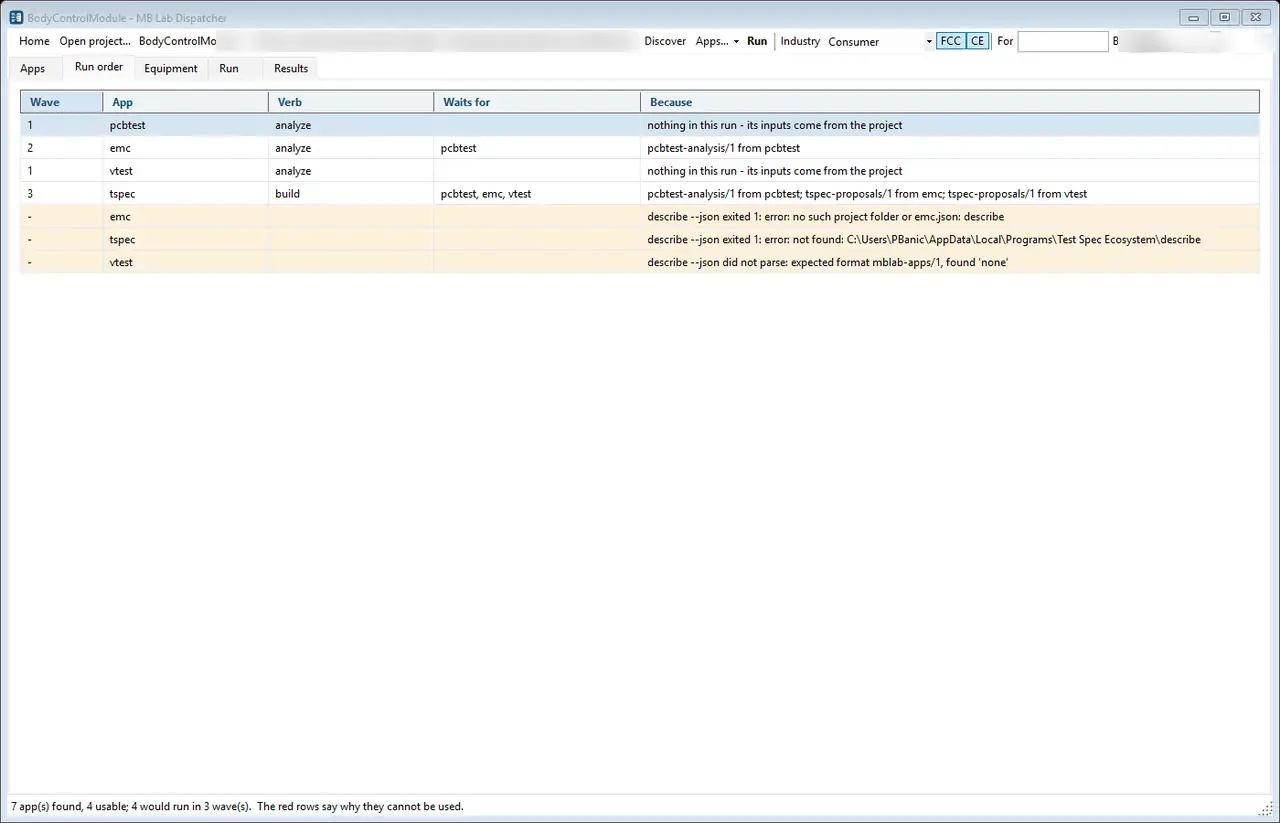
The run order the dispatcher worked out for itself, with the reason for every edge. pcbtest and vtest have no dependencies so they go in wave 1; emc waits for pcbtest because it consumes pcbtest-analysis/1; tspec waits for all three. The amber rows are the honest half - three applications that could not be used, each with the exact reason, because a run that silently skips something is worse than one that explains itself. The project path in the header, and the name in the 'By' box, are blurred.
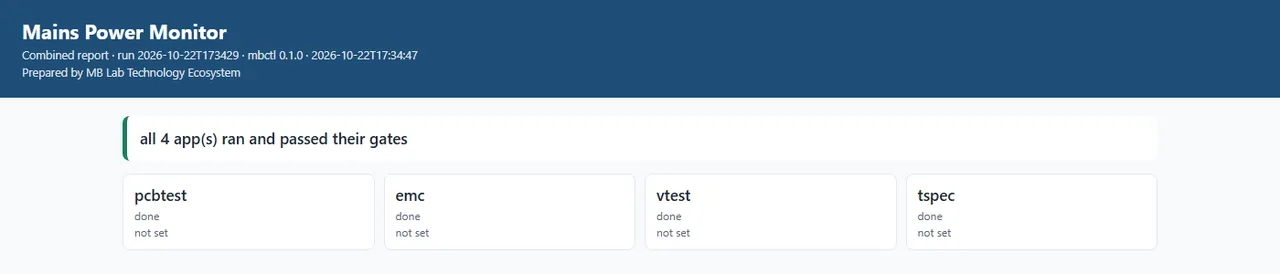
The top of the combined report from one run against the Mains Power Monitor project: four applications, each with its version and its state. The line above them says all four ran and passed their gates - which is a statement about the run, not about the board. What the applications found out about the product is underneath, and some of it is bad news.
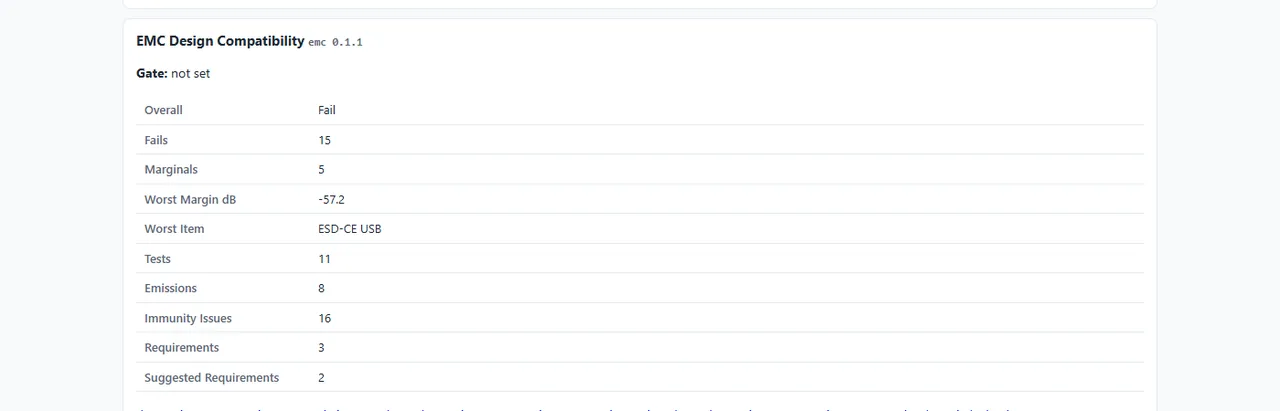
That bad news, from the same report. EMC Design Compatibility concluded Overall: Fail - fifteen failures, five marginal, the worst of them 57.2 dB under on ESD immunity at the USB port - and the dispatcher reports it without softening it. Its own gate reads 'not set', because this project sets no threshold for the run to stop on; the verdict and the gate are different questions and the report keeps them apart.
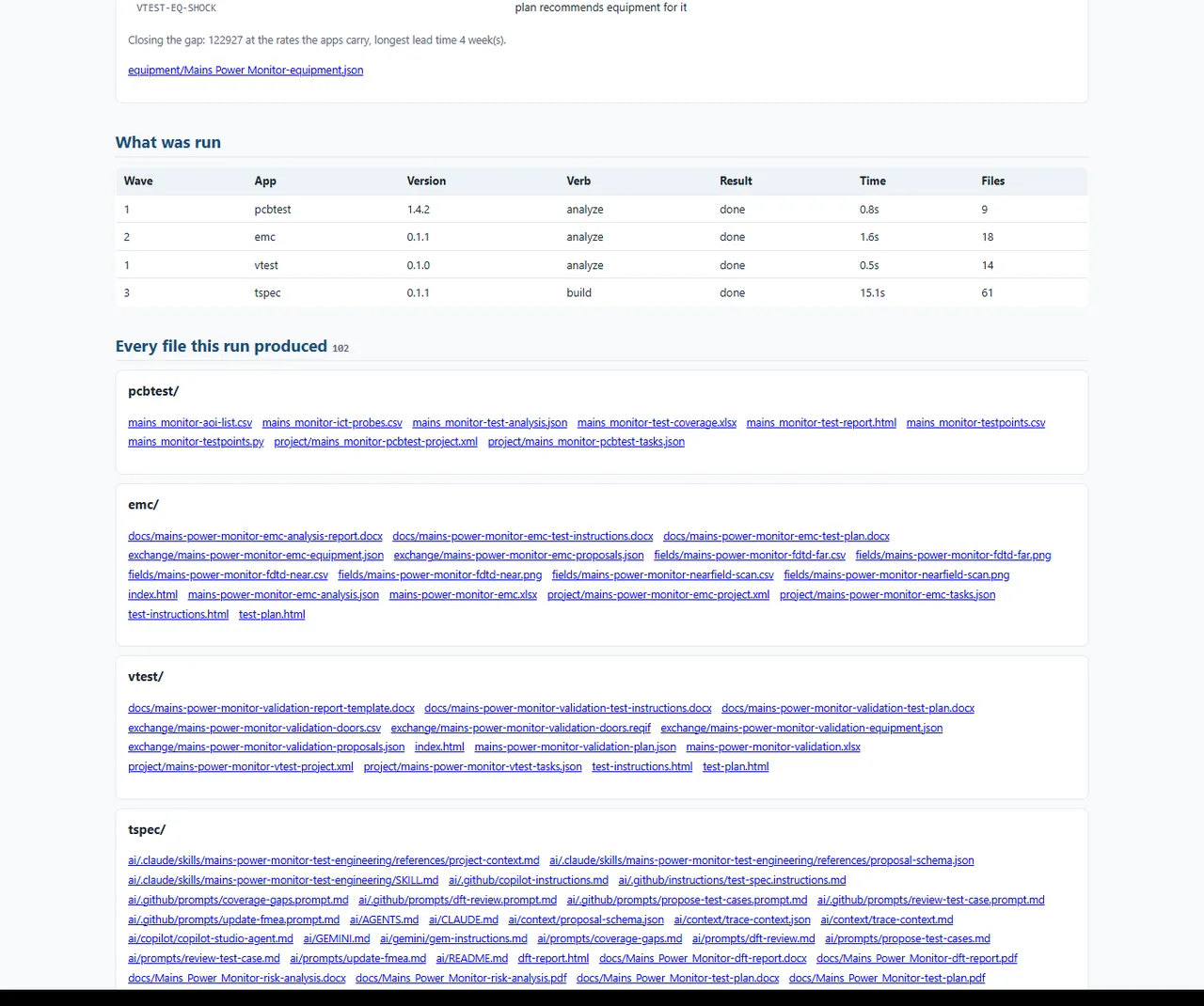
What was run and what came out. The wave column is the order the dispatcher derived rather than one it was given: PCB Test Analysis and Validation Testing in wave 1 because nothing they need comes from the others, EMC in wave 2 after the test analysis, Test Spec Ecosystem last with all three feeding it. Then every one of the 102 files, listed per application - including the AI instruction sets Test Spec writes for Claude, Gemini and Copilot.

On video

One recording of it actually running.

A screenshot of a program that moves is only half of it, so here it is moving. It has no window - a run is what it does, so this is a real one at the command line, recorded off the screen. Nothing plays until you press it.

34 s mbctl plan asks each installed application what it reads and what it writes, and derives the order from that: three waves, with the reason printed beside each one - EMC waits for the test analysis, the trace model waits for all three. Then mbctl run executes it. Eight, eighteen, fourteen and sixty-two files; every gate passed; and 91 tasks and 500.5 hours merged out of four separate plans.

What one run produced

Against the Z-Stack project, with four applications installed, one run produced:

103files
1report, in three forms
116tasks / 558 hours
42pieces of equipment reconciled

Get in touch

MB Lab Dispatcher is not a download. It is one of the tools the work is done with, installed and licensed when an engagement starts. Tell me what you are working on and I will tell you what it would do for it.

Or email mblab.technology@gmail.com. Your details are used to answer you and to follow up — nothing else.

Requirements

  • Windows 10 or 11, 64-bit
  • About 200 MB of disk
  • No .NET install needed — the runtime is bundled
  • No Excel needed — workbooks are written directly

Also in the set